Location, live
Know where your family is with clear, accurate updates that respect your time.
 Andova Pro
Andova Pro brings family location sharing, device status, and practical Android safety tools into one clear dashboard—with visible permissions and responsible use at the center.
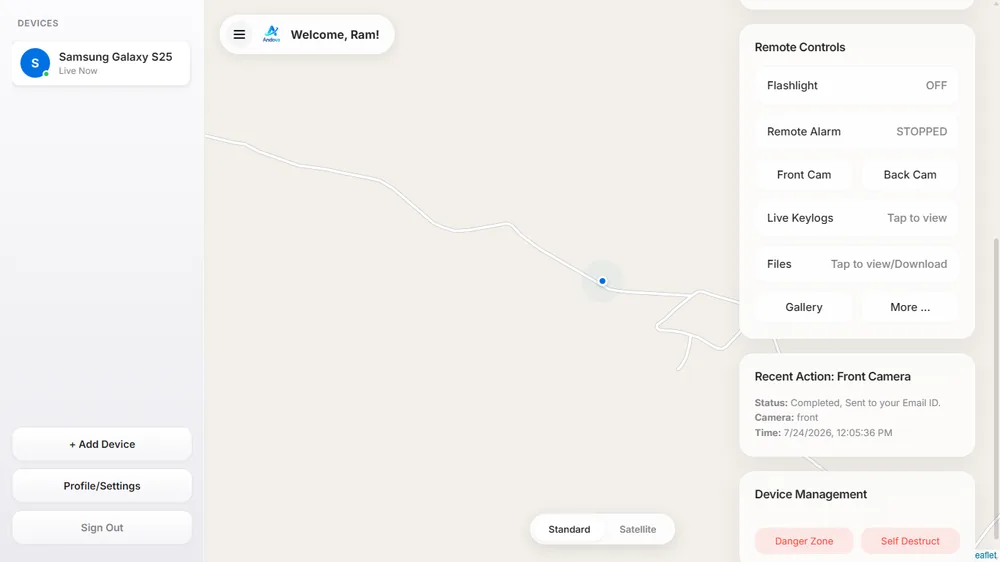
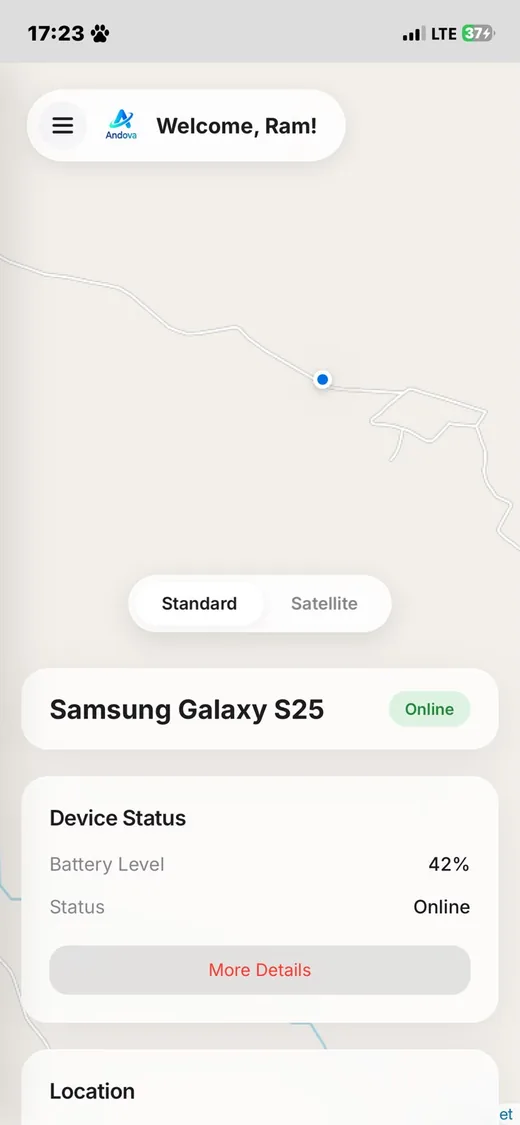
Practical tools wrapped in an experience that is simple enough for every day.
Know where your family is with clear, accurate updates that respect your time.
Battery and connectivity at a glance, before a low battery becomes a worry.
Helpful remote actions when they matter most, always just a tap away.
Understand the information your circle uses, the permissions Android requires, and the controls available to you.
Pairing and device access are designed around visible setup steps and the permissions required by Android.
Remove a paired device from your account when it is no longer needed and keep your circle current.
From account creation to confident everyday care, Andova makes connection feel effortless.
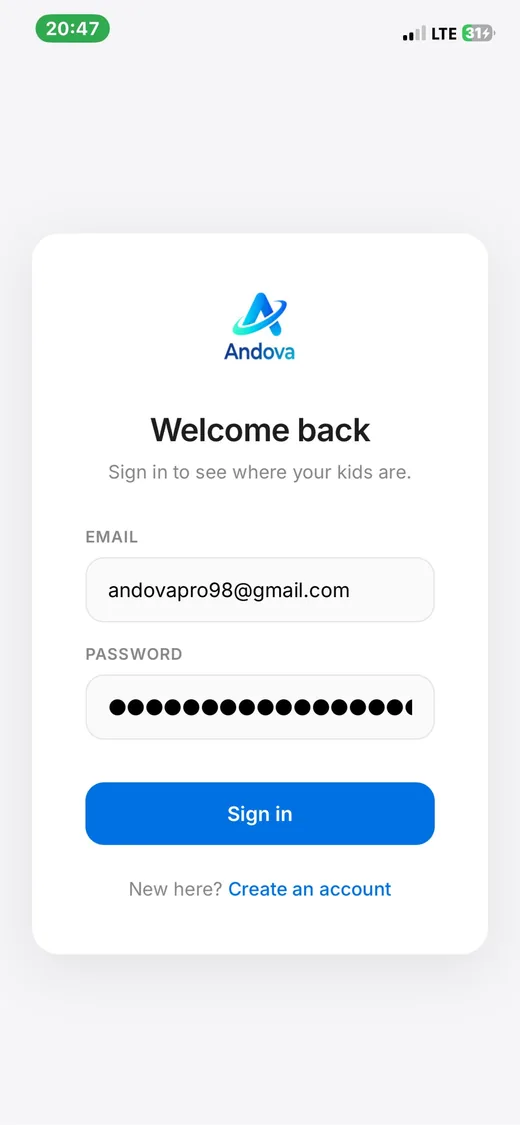
Sign up securely with Email and Password to create your beautiful yet powerful dashboard.
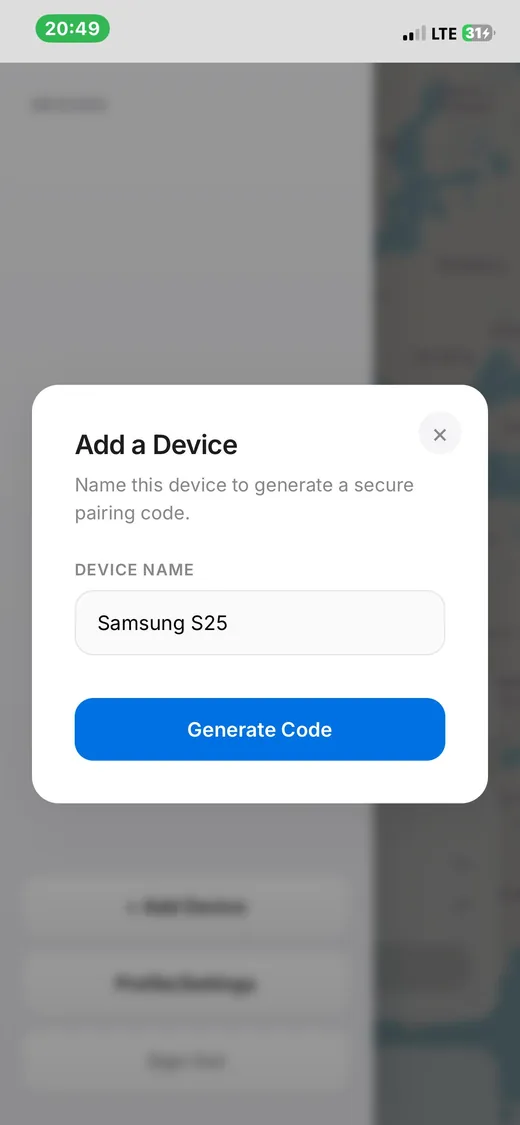
Click on Add Device & Enter a device name and generate a secure one-time pairing code.
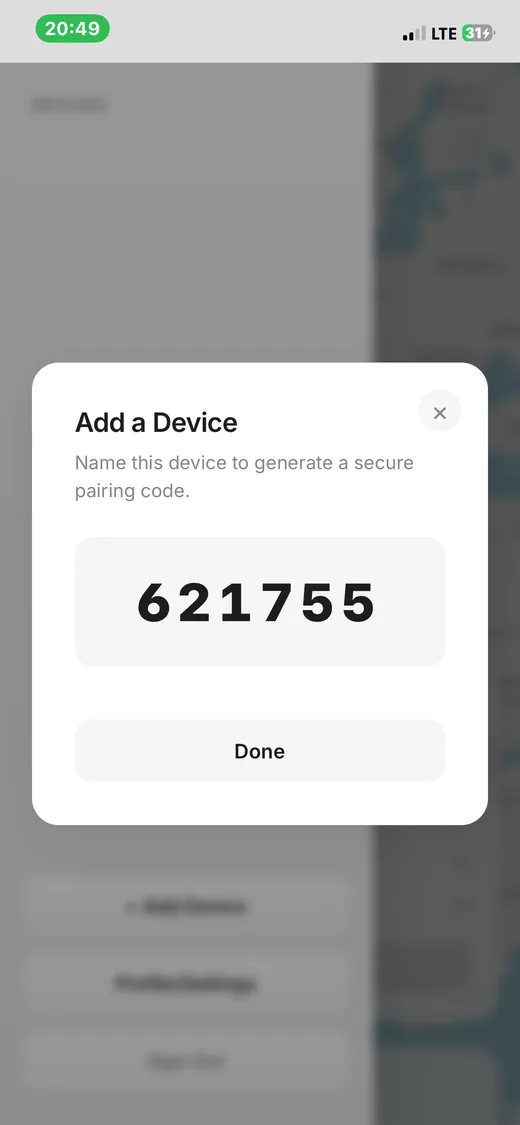
Enter the pairing code inside the Andova mobile app to securely connect the device.
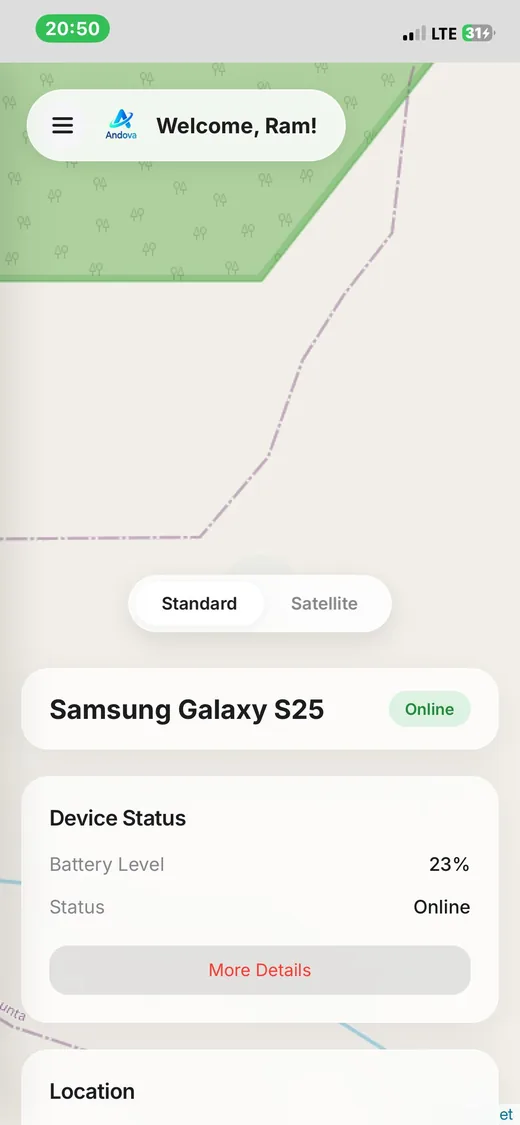
Once paired, you can track live location, Camera, Monitor device logs, Screen and remotely access powerful tools from your dashboard.
Your information should be handled with care. Review the permissions, data practices, and account controls in our security and privacy information before connecting a device.
Explore pricing →Everything your family needs, with one transparent payment.
Create an account, complete the purchase, and sign in to the dashboard. Download the Android app from the dashboard, review the permissions and consent requirements, then install it on a device you are authorized to manage. In the dashboard, choose Add device and generate a one-time pairing code. Enter the code in the app, review the connected-device details, and use the available controls responsibly. Only connect devices with the owner’s knowledge and permission.
Data is protected with encryption in transit and at rest. You remain in control of who belongs in your family circle.
Andova Pro works with Android (8 to 16) phones and is designed to make adding a device straightforward.
Yes. Your secure Andova Pro account brings your family circle to desktop and mobile.
Andova Pro uses Supabase services for application data. Review the Privacy Policy for the information collected, how it is used, and how to request account or data changes.
Thoughtful help from real people, with the answers you need close at hand.
Send us a note anytime and our support team will take care of the rest.
team@andova.onlineSend us a note anytime and our support team will take care of the rest.
Telegram us anytimeBrowse common questions before reaching out to our team.
View frequently asked questions